Monitor Brightness Control
This key allows changing external monitor brightness using the DDC/CI protocol. Most of the monitors supports this protocol to some degree. This key also allows controlling multiple monitors simultaneously. This key only works when the FlexDesigner is running.
Note that on a laptop, it would be easier to use the ‘Multimedia’ key in the ‘Input’ category to control screen brightness.

In the FlexDesigner
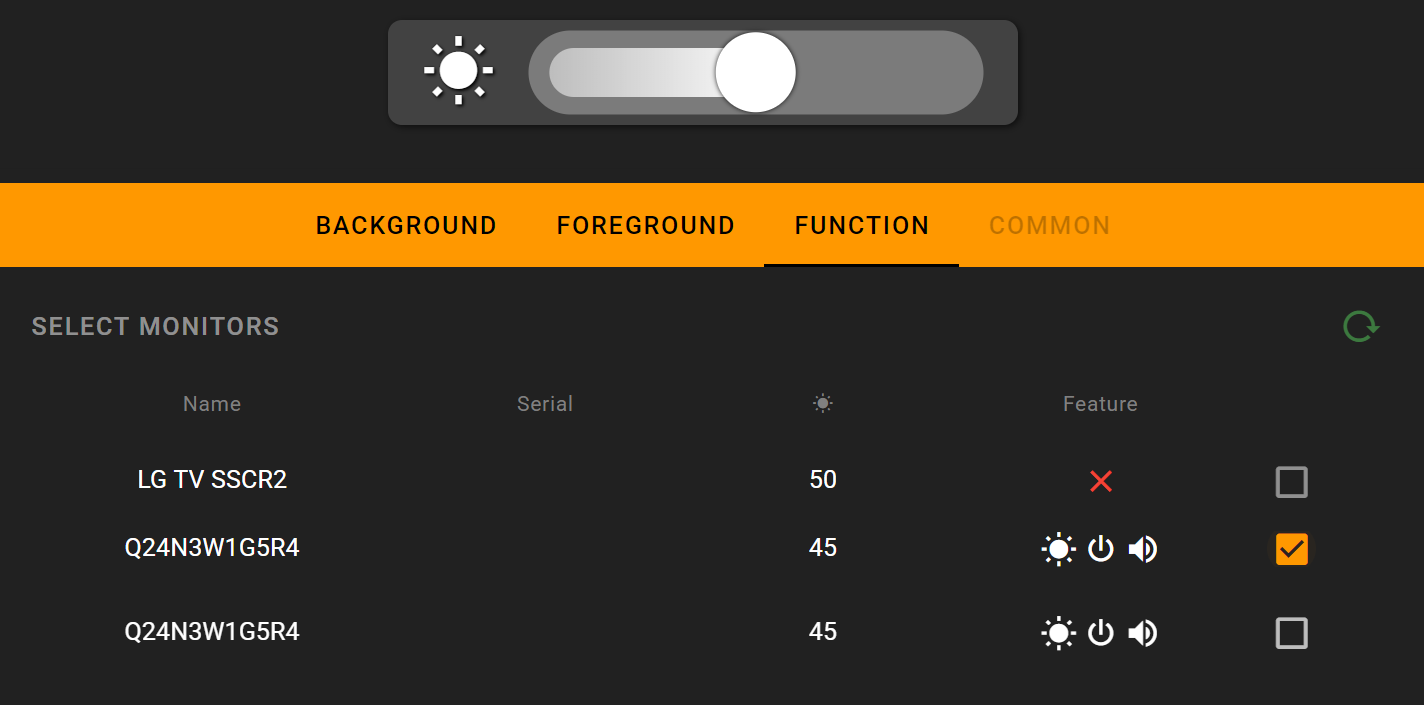
A list of connected monitors would show up in the function tab of this key. It also shows the control supported by the monitor. Of each monitor, there is a checkbox to the right. Only checked monitors would be controlled by this key.
On the Flexbar
The key shows up as a brightness slider, similar to a volume slider. Drag on the slider to change the brightness of selected monitor.