OBS Studio
您可以使用 Flexbar 快速轻松地控制 OBS Studio。
设置您的 OBS Studio
要开始使用,请通过设置 > 应用程序 > OBS启用 OBS Studio 的 WebSocket 服务。
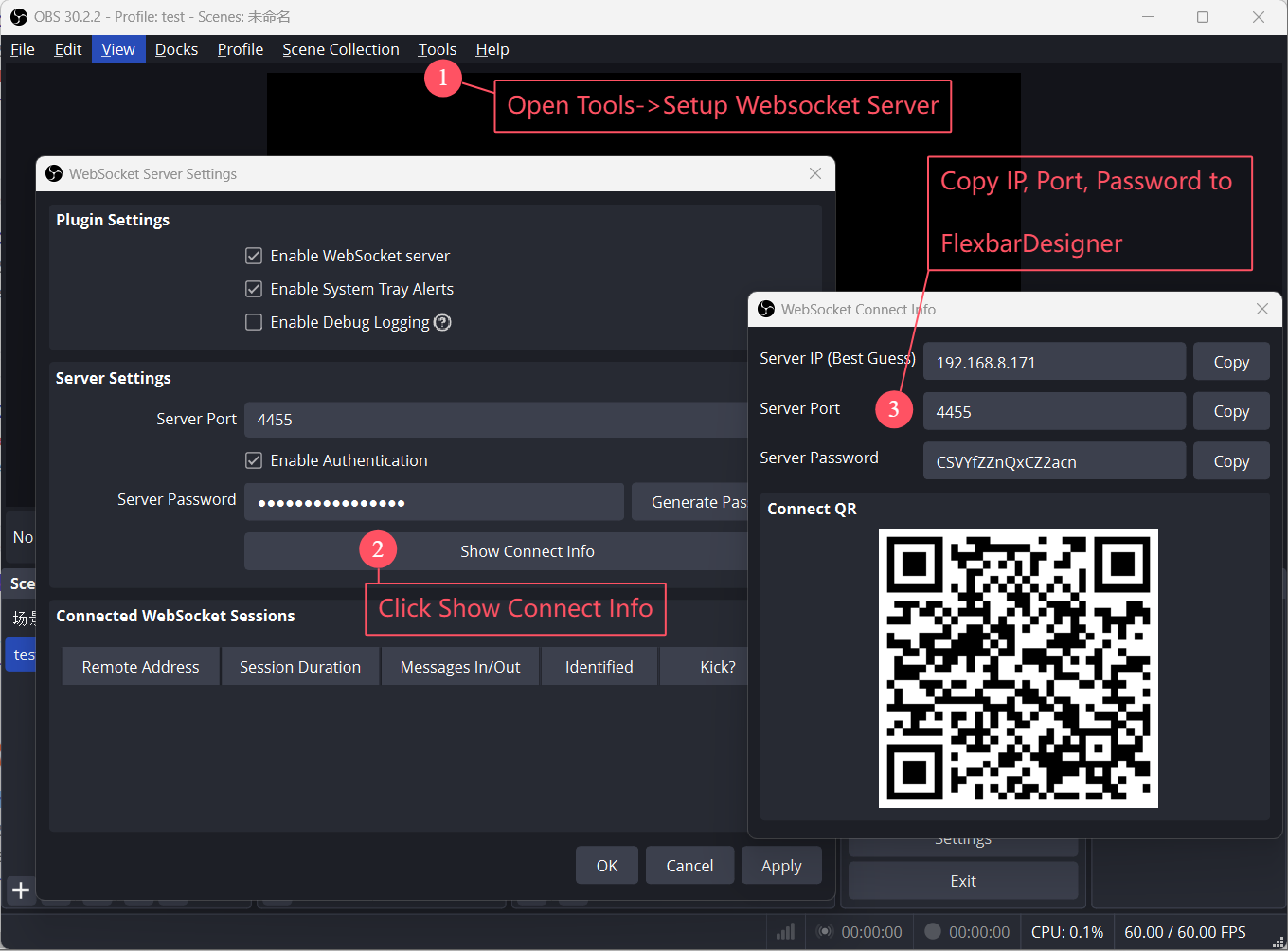
打开 WebSocket 设置面板
点击显示连接信息
复制IP、端口和密码
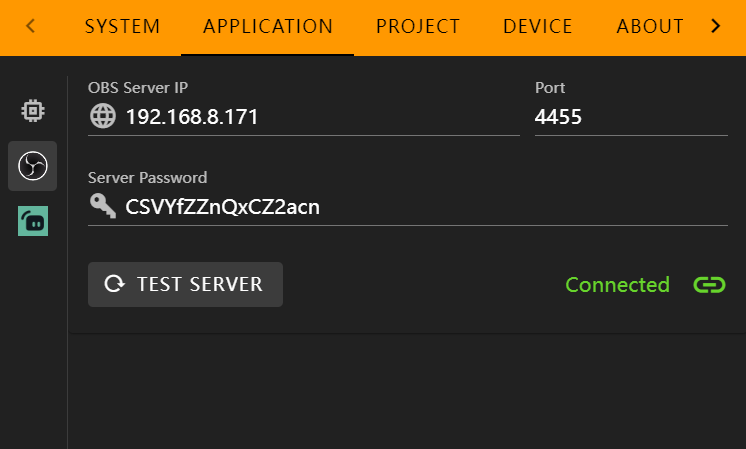
Paste the IP, Port, and Password into the corresponding input fields, then click Test Server. You should see a “Connected” status if everything is set correctly.
在 FlexDesigner 中
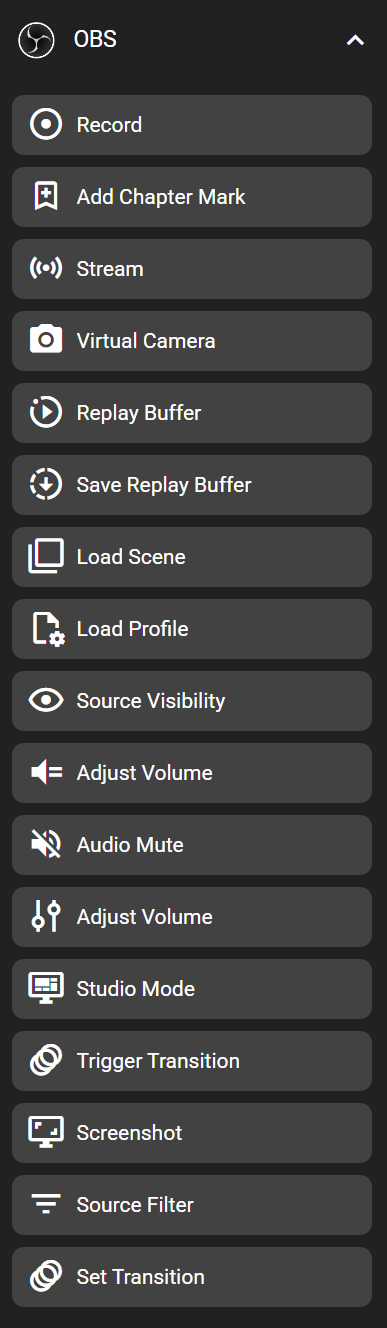
您可以在按键库的”OBS”类别下找到此功能。
在 Flexbar 上
