Run Scripts
The run scripts key executes user defined commands in shell when pressed.

In the FlexDesigner
The commands to execute can be defined in the function tab in the FlexDesigner (can be a single line). Enter the commands inside the text editor, one per line. The size of the text editor can be adjusted by dragging the dashed triangle icon on the bottom right of the text editor. There is a test run button to the right of the input box. It allows doing a test run directly on the computer before uploading the new profile to the Flexbar. The test run should perform the same operation as if the key is pressed on the Flexbar.
On Windows platform, PowerShell commands are also supported.
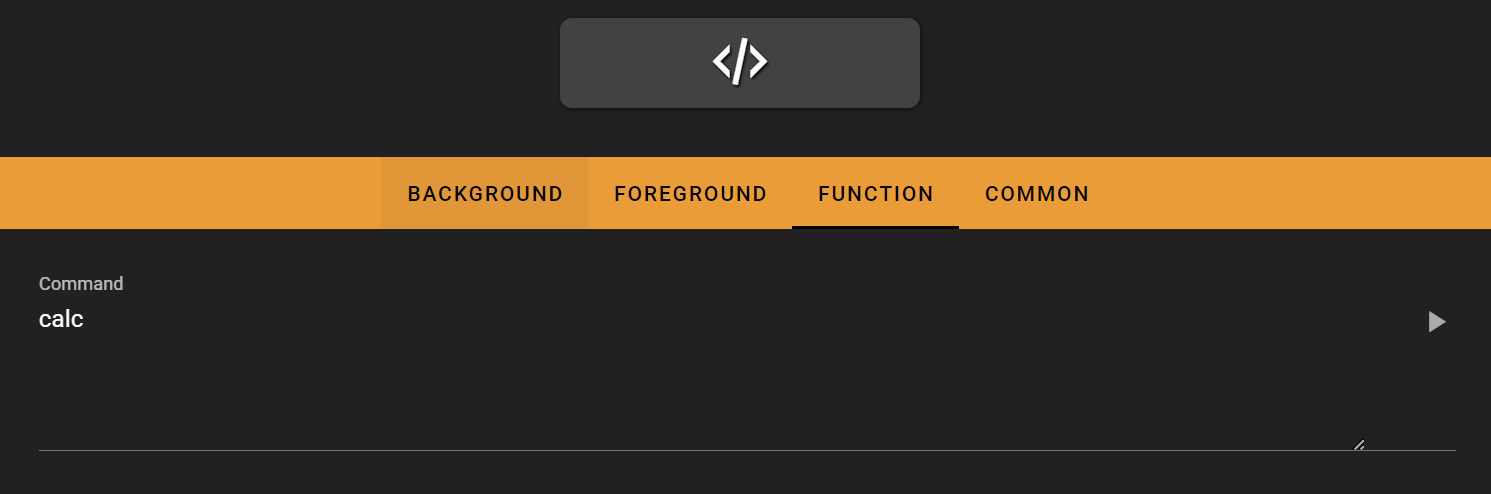
On the Flexbar
Press the key to execute the defined commands in the FlexDesigner.
Examples
Open a new instance of an application
open -n /Applications/KiCad/KiCad.app (macOS)
Open a webpage in a specified web browser
open /Applications/Firefox.app --args www.eniacelec.com (macOS)
Technical Details
Under the hood, the script execution is implemented using Node.js’s spawn function. The commands are executed through:
/bin/shon macOScmd.exeon Windows
This means that any shell commands that work in these environments can be executed through the Flexbar.